Coffee shops & cafés

Free POS System for Coffee Shops & Cafés

During the morning rush every second at the counter counts. Piee POS lets cafés and bubble tea shops take orders with sizes and add-ons in a few taps, sends each drink straight to the bar, and shows the owner every shift's takings on their phone — free to start, nothing to install.

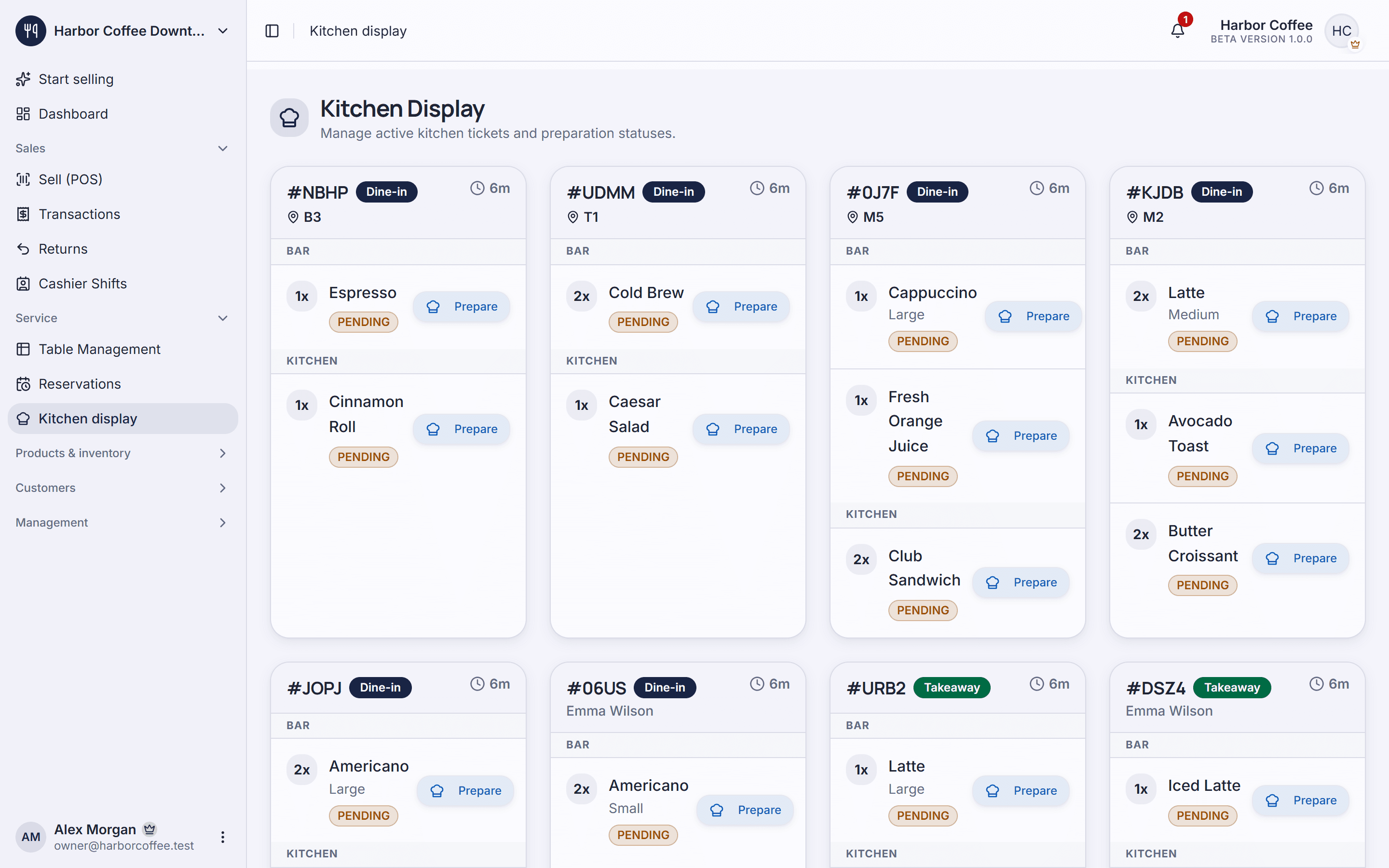
Piee POS: Kitchen display

Sound familiar?

  • Wrong drinks, wrong add-ons

    Shouted or handwritten orders mix up sizes, sugar levels and toppings — every remade drink is wasted stock and a less happy customer.

  • Cash that doesn't add up

    Without matching the drawer against the orders sold, every shift handover is a blind spot.

  • No idea which drinks make money

    Revenue looks fine, but you can't see which items sell, which hours are busy or which ingredients are about to run out.

How Piee POS helps

Some features are part of paid plans — see the Pricing page for details.

  • Fast orders with sizes & add-ons

    Build option groups — size, sugar, ice, toppings — with price adjustments, so a drink is rung up in a couple of taps.

  • Tables & seating areas

    Lay out indoor, terrace and counter areas; open a tab per table and settle each one without mixing orders.

  • Barista display (KDS)

    New drinks appear on the bar screen in order; tap when done — no more lost paper tickets.

  • Cashier shifts & reconciliation

    Open a shift with a float, close it by counting cash against every payment method, and see who sold what.

  • Ingredient stock & receiving

    Track coffee, milk and cups; record deliveries, issue stock to the bar and get alerts before you run out.

  • Sales by item and by hour

    See best sellers, peak hours and daily revenue so you can tune the menu and the rota.

Every feature you need to run your store

Get started in 3 steps

  1. Build your menu in 15 minutes

    Add items, prices, categories and add-on groups once; every staff member uses the same menu.

  2. Set up tables and the bar

    Draw your areas and tables, then open the barista display on a tablet or laptop behind the bar.

  3. Sell and watch the numbers

    Staff take orders on a phone or computer; the owner follows revenue remotely in real time.

Frequently asked questions

Is Piee POS really free for coffee shops?

Yes. The Free plan is free for life with unlimited orders, up to 500 items, 2 staff accounts, 1 location and 90 days of sales history. You can upgrade to a paid plan as the café grows.

Do I need dedicated POS hardware?

No. Piee POS runs in the browser, so it works on the computers, tablets and phones you already own. You can connect a receipt printer to print bills.

Can I manage cup sizes and toppings?

Yes. Create option groups such as size, sugar level, ice and toppings, each with its own price adjustment, and attach them to the drinks that need them.

How does the bar receive orders?

Orders are sent to the barista display (KDS) running on a tablet or computer at the bar. Drinks are listed in the order they were placed and marked when ready.

Can I check sales when I'm not at the café?

Yes. Data is stored in the cloud, so you can sign in from your phone and see revenue, orders and shifts in real time.

Set up your store today

Create an account, add your products and take your first order. The free plan has no time limit.