Restaurant POS System: The Ultimate Guide to Choosing the Best Solution in 2026
Everything you need to know about restaurant POS systems in 2026. Compare features, learn implementation best practices, and discover how to increase efficiency by 40%.
Restaurants
A restaurant runs well when servers, kitchen and cashier all see the same order. Piee POS connects the three: servers order at the table, the kitchen works from a screen, the cashier settles the bill accurately — and the owner sees revenue, ingredients and staff in one place.

Lost paper tickets and unreadable handwriting slow the line down at exactly the busiest moment.
Nobody knows which tables are free or reserved, so you double-seat or leave tables empty at peak time.
Ingredients and staff hours are the two biggest costs, yet they're usually estimated once a month.
Some features are part of paid plans — see the Pricing page for details.
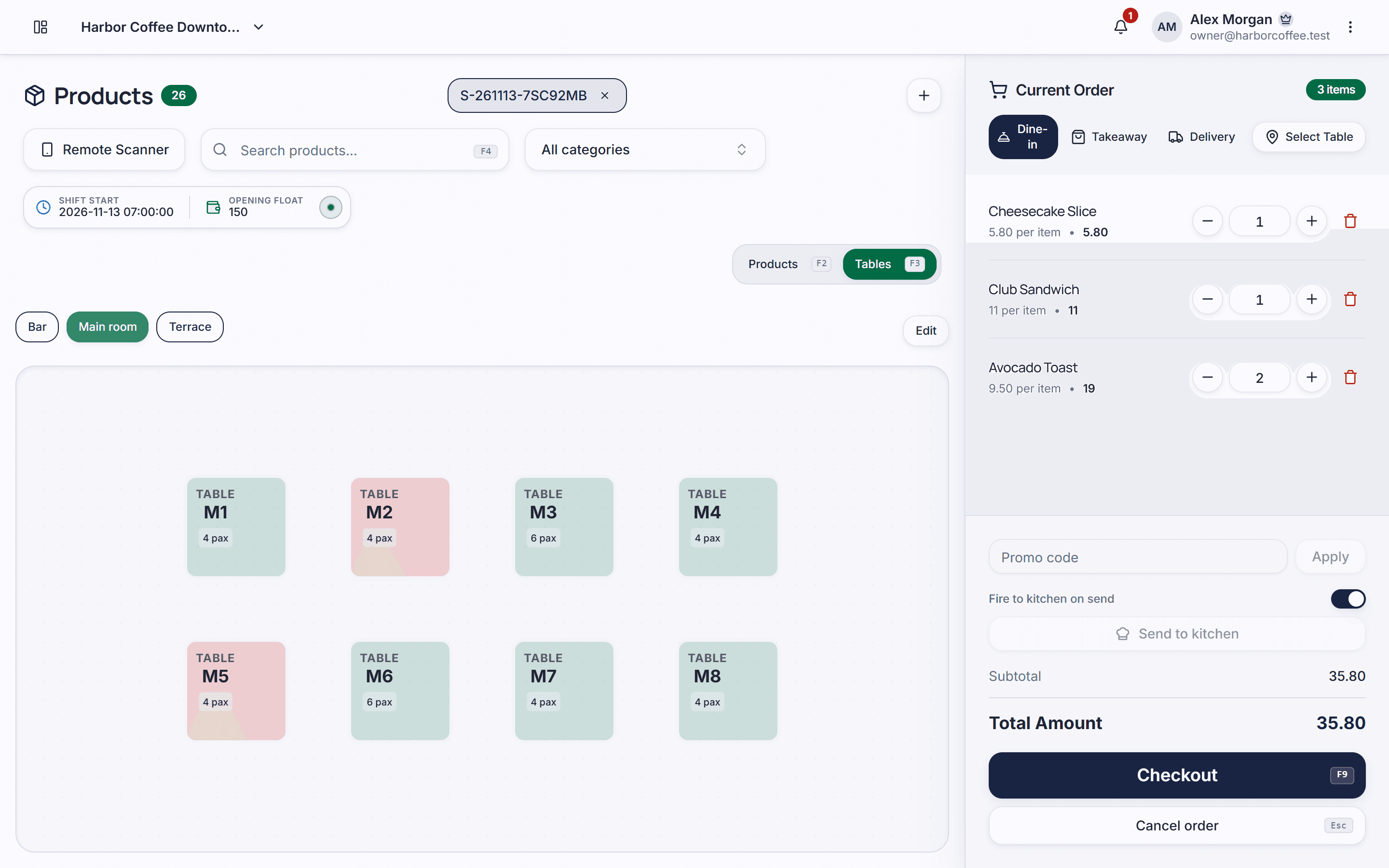
Set up floors, rooms, areas and tables; see free tables, active tables and each table's running total at a glance.
Record bookings with arrival time, party size and notes so the host can plan seating before guests arrive.
From Pro
Table orders appear on the kitchen screen in sequence; the kitchen marks them done and servers know what's ready.
Servers say the order out loud and it's recognised and added to the ticket — fewer taps on a full floor.
Receive supplier deliveries, issue ingredients to the kitchen and run stock takes to see real wastage.
Reconcile cash at shift close, let staff clock in, and give each role access to only what it needs.
From Pro
Create dishes and option groups, then draw your areas and tables.
Open the kitchen display on a tablet; servers order from their phones at the table.
Cashiers close shifts; the owner checks revenue, best sellers and stock remotely.
There is a Free plan for life (unlimited orders, 500 items, 2 staff, 1 location). Reservations, time clock, price books, purchase orders and stock takes are in the Pro plan at $29/month — see the Pricing page for details.
Not necessarily. The kitchen can use the KDS on a tablet or computer to receive orders in real time and mark dishes as done.
Yes. Piee POS runs in the browser, so servers open it on a phone to pick a table, add dishes and send them to the kitchen.
Yes. The Pro plan covers 2 locations and Business up to 5, managed under one account with reports for each location.
Data is stored in the cloud, each business is isolated at the database level, and every staff member only sees what their role allows.
Everything you need to know about restaurant POS systems in 2026. Compare features, learn implementation best practices, and discover how to increase efficiency by 40%.
Learn how inventory management software can transform your business operations. Discover best practices, top solutions, and strategies to optimize stock levels and reduce costs.
Learn how to set up your POS system from scratch. This step-by-step guide covers everything from initial setup to processing your first sale in under 30 minutes.
Table orders, sizes and add-ons, a barista display and clean shift close-outs for cafés.
Explore solutionBarcode checkout, stock levels, supplier orders and loyalty for grocery and convenience stores.
Explore solutionSizes, colours, returns, promotions and loyalty for clothing, shoe and accessory stores.
Explore solutionCreate an account, add your products and take your first order. The free plan has no time limit.