Retail POS System: Essential Features, Benefits & How to Choose in 2026
Comprehensive guide to retail POS systems. Learn the must-have features, compare top solutions, and discover how the right POS can increase retail sales by 23%.
Grocery & convenience
A grocery store carries hundreds of products, prices change constantly and regulars come in every day. Piee POS makes checkout fast with barcodes, tells you exactly what's in stock, helps you reorder on time and keeps regulars coming back — without expensive hardware.

Pricing from memory or a calculator goes wrong, especially right after a distributor raises prices.
With no stock numbers you only find out an item is gone when a customer asks for it.
One product sold by the bottle, the 6-pack and the 24-case — a paper ledger never makes the stock match.
Some features are part of paid plans — see the Pricing page for details.
Use a phone camera as the checkout's barcode scanner — no separate reader required.
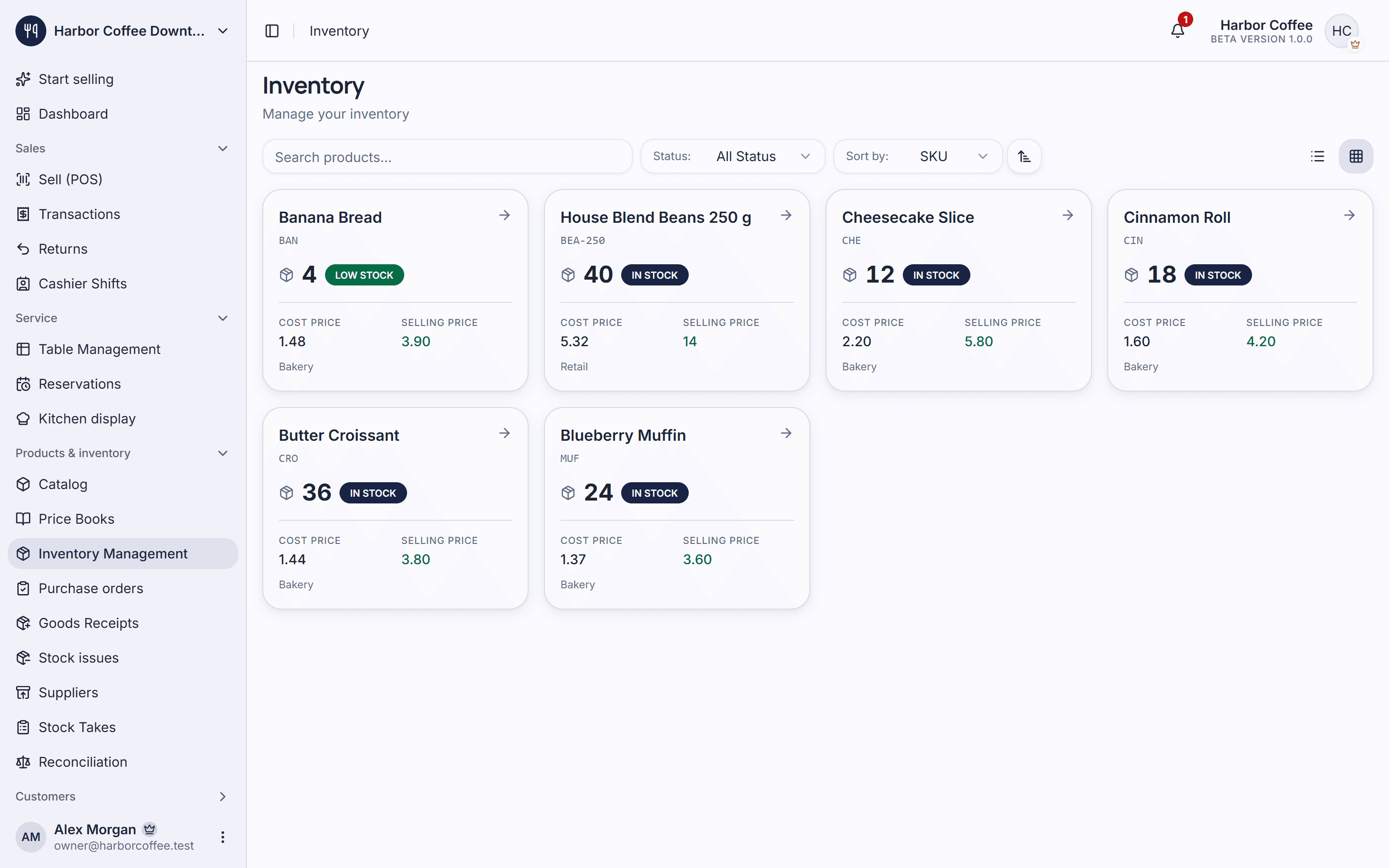
Stock is deducted with every sale, and you're alerted when an item drops below its minimum.
Each pack size is its own variant with its own price and barcode, so retail and bulk sales are both tracked correctly.
Keep a supplier list, raise purchase orders, record deliveries and run periodic stock takes.
From Pro
Save regulars, award points per order and run promotions that bring them back.
From Starter
See revenue, best sellers and slow movers so you reorder smarter.
Add products, prices, barcodes and pack sizes for each item.
Record what you have now, or do one stock take, to start with correct numbers.
Scan with a phone or pick on screen, print the receipt, and let stock update itself.
Yes. The Free plan is free for life with unlimited orders and up to 500 items. Larger stores can move to Starter (2,000 items) or Pro (10,000 items).
Yes. You can pair a phone camera as a scanner for the checkout screen, or search and tap products directly on screen.
Each pack size is created as a variant of the product with its own price and barcode, so every way you sell it is recorded correctly.
Yes. Piee POS alerts you when stock runs low, and reports show your best sellers so you can raise supplier orders in time.
No. Piee POS runs in the browser on a phone, tablet or computer, so a small shop can start with just a phone.
Comprehensive guide to retail POS systems. Learn the must-have features, compare top solutions, and discover how the right POS can increase retail sales by 23%.
Learn how inventory management software can transform your business operations. Discover best practices, top solutions, and strategies to optimize stock levels and reduce costs.
Discover the must-have POS features for retail success. From inventory management to customer loyalty programs, learn what your store needs to compete in 2026.
Table orders, sizes and add-ons, a barista display and clean shift close-outs for cafés.
Explore solutionFloor plans, reservations, a kitchen display and ingredient control for restaurants.
Explore solutionSizes, colours, returns, promotions and loyalty for clothing, shoe and accessory stores.
Explore solutionCreate an account, add your products and take your first order. The free plan has no time limit.