
3 min read
Retail POS System: Essential Features, Benefits & How to Choose in 2026
Comprehensive guide to retail POS systems. Learn the must-have features, how to choose, and how to set one up in your store.
Read more
Asian & international groceries
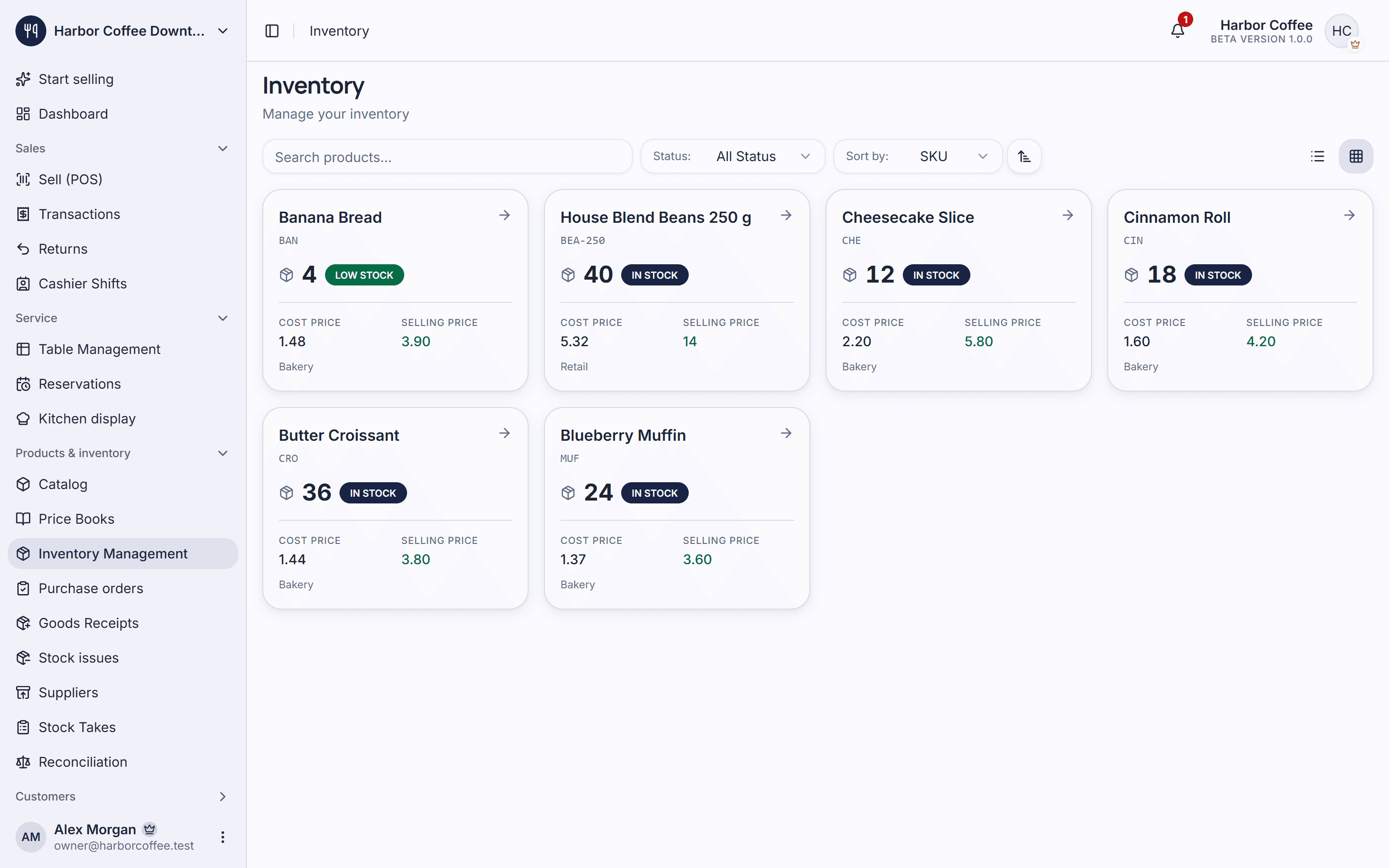
An international grocery stocks thousands of imported products, with labels in several languages, from suppliers who deliver every week. Piee POS scans them at the till, sells each by pack size, tracks stock and deliveries, and is available in a dozen languages so each member of staff can work in their own. It runs in the browser, beside the card reader you already use.
Typing prices for imported goods is slow and error-prone. A scan is quicker and does not mistype.
A till that speaks only English slows down a team whose first language is Vietnamese, Chinese, Korean or Thai.
Without recording what arrives, you find out a product ran out when a customer asks for it.
Some features are part of paid plans — see the Pricing page for details.
Plug in a USB barcode scanner and add products to the order by scanning them.
No scanner yet? Pair a phone with the checkout screen and scan barcodes with its camera.
Sell a single item, a pack or a case as variants of one product, each with its own price, barcode and stock.
The app is available in a dozen languages, among them Vietnamese, Chinese, Korean, Japanese and Thai, and each person chooses their own.
Record deliveries as they arrive, so stock and cost stay up to date.
Regulars earn points on what they spend and redeem them on a later visit.
From Starter
Add your products with their barcodes, and a variant for each pack size.
Invite your staff by email (how many depends on your plan); each one chooses the language the app speaks to them.
Scan at the till, charge on your own card reader or in cash, and record each delivery as it arrives.
No. It works beside the card reader you already use: you charge the card on your reader and record the payment in Piee POS. There is no payment-processing contract with us.
A dozen, among them English, Vietnamese, Chinese, Korean, Japanese and Thai. Each person chooses their own, so a team can work in several languages at once.
Yes. Make them variants of one product, each with its own price, barcode and stock.
You can start on the Free plan, with up to 500 items and 1 location. Paid plans start at $12 a month; see the pricing page for every limit.
A USB scanner is quickest, but you can start with a phone: pair it with the checkout screen and scan with its camera.
Comprehensive guide to retail POS systems. Learn the must-have features, how to choose, and how to set one up in your store.

From inventory management to sales analytics, learn what features are non-negotiable for a modern retail Point of Sale system.

Learn how inventory management software can transform your business operations. Discover best practices, top solutions, and strategies to optimize stock levels and reduce costs.
Table orders, sizes and add-ons, a barista display and clean shift close-outs for cafés.
Explore solutionFloor plans, reservations, a kitchen display and ingredient control for restaurants.
Explore solutionBarcode checkout, stock levels, supplier orders and loyalty for grocery and convenience stores.
Explore solutionSizes, colours, returns, promotions and loyalty for clothing, shoe and accessory stores.
Explore solutionSizes, sugar, ice and toppings in a few taps, a bar display, and topping stock on record.
Explore solutionA fast checkout on the phone or tablet you already have, orders to the kitchen and a clean count at closing.
Explore solutionA quick counter checkout, products by size or pack, and the flour and butter behind them on record.
Explore solutionCreate an account, add your products and take your first order. The free plan has no time limit.