Coffee Shop POS System: The Complete Guide to Boosting Sales & Efficiency in 2026
Everything you need to know about coffee shop POS systems. Learn how to choose the right solution, optimize operations, and increase customer loyalty for your café.
Bubble tea & boba shops
A bubble tea order is never just a drink: size, sugar level, ice level and two toppings, times a queue at the counter. Piee POS rings each cup up in a few taps and sends it to the bar screen, in the browser on the tablet or laptop you already have. It sits beside the card reader you already use: you record how each order was paid.

Less sugar, no ice, extra pearls: a shouted order loses one of them, and the drink is remade at your cost.
Ten drinks in a row, called out over the noise: one is missed, and a customer waits for a cup that never comes.
Pearls, jelly and milk go fast. Without a record of what came in and what went to the bar, nobody knows what is left.
Some features are part of paid plans — see the Pricing page for details.
Build option groups once, each with its own price change, and attach them to every drink that needs them.
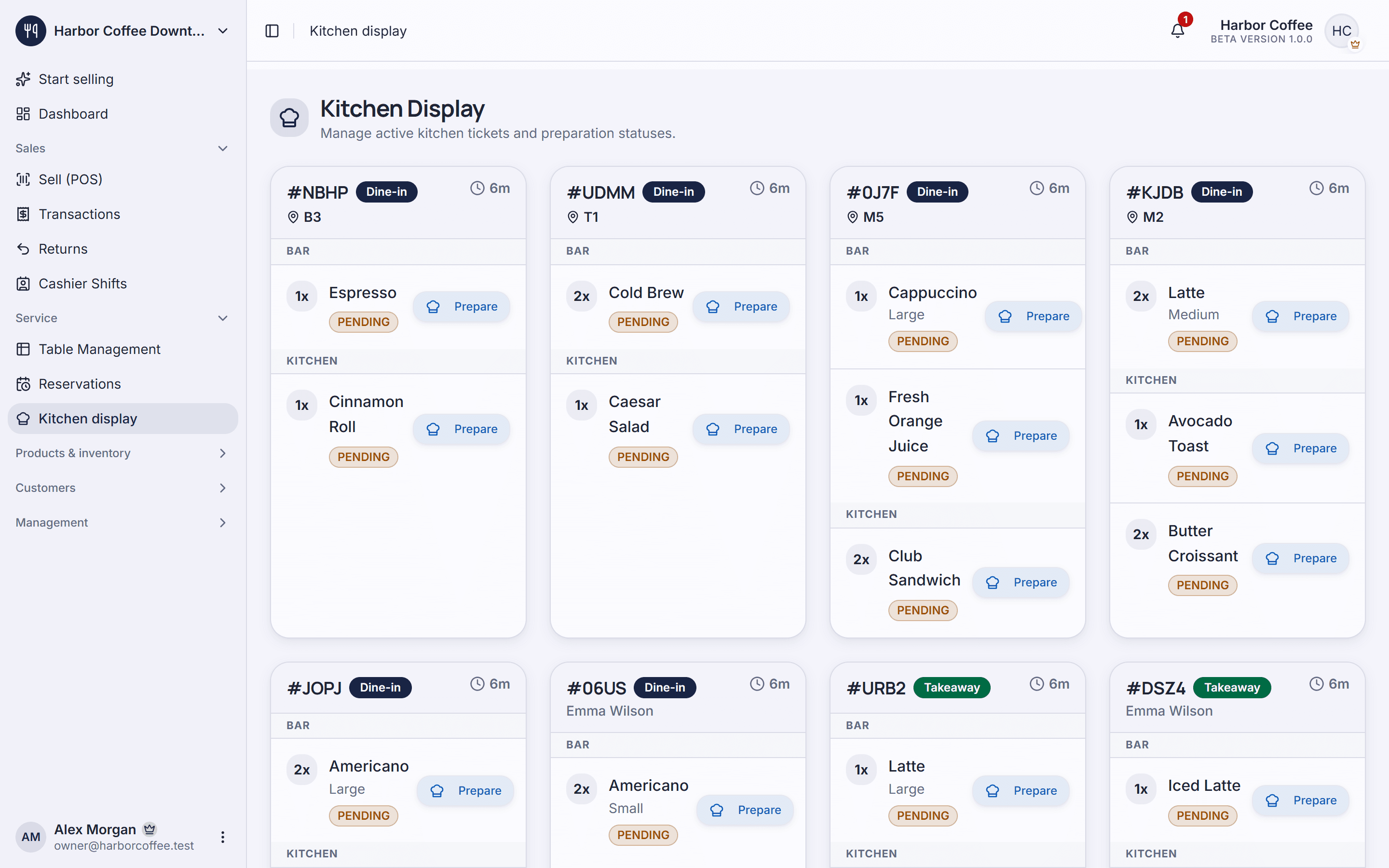
Orders appear on a screen behind the bar, and each item is ticked off as it is prepared.
Print barcode or QR labels from the browser for the packaged products you sell.
Mark each order as takeaway, dine-in or delivery, so the reports can tell them apart.
Record the toppings and ingredients taken from the store room for the bar, with a document that says why.
Regulars earn points on what they spend and use them on a later drink.
From Starter
Add your drinks and prices, then the option groups: sizes, sugar and ice levels, toppings.
Open the bar display on a tablet behind the counter; receipts print from the browser.
Take each order at the counter, charge it on your own card reader or in cash, and record how it was paid.
No. It works beside the card reader you already use: you charge the card on your reader and record the payment in Piee POS. There is no payment-processing contract with us.
Yes. Each option, such as an extra topping or a larger size, can add to the price of the drink.
No. Piee POS runs in the browser on the computers, tablets and phones you already have. Receipts print from the browser.
You can start on the Free plan, with up to 500 items and 1 location. Paid plans start at $12 a month; see the pricing page for every limit.
Yes. The app is available in a dozen languages, and each person chooses their own.
Everything you need to know about coffee shop POS systems. Learn how to choose the right solution, optimize operations, and increase customer loyalty for your café.
Learn how inventory management software can transform your business operations. Discover best practices, top solutions, and strategies to optimize stock levels and reduce costs.
Discover how switching to a free cloud POS system like Piee POS can reduce costs, improve flexibility, and streamline your retail operations.
Table orders, sizes and add-ons, a barista display and clean shift close-outs for cafés.
Explore solutionFloor plans, reservations, a kitchen display and ingredient control for restaurants.
Explore solutionBarcode checkout, stock levels, supplier orders and loyalty for grocery and convenience stores.
Explore solutionSizes, colours, returns, promotions and loyalty for clothing, shoe and accessory stores.
Explore solutionA fast checkout on the phone or tablet you already have, orders to the kitchen and a clean count at closing.
Explore solutionA quick counter checkout, products by size or pack, and the flour and butter behind them on record.
Explore solutionScan imported products, sell by pack size, keep stock and suppliers straight, in the language your staff read.
Explore solutionCreate an account, add your products and take your first order. The free plan has no time limit.